
Quick Article Directory
Portable Monitor Wholesale Buying Guide for B2B Buyers
Topic Research and Search Intent
Blog title: Portable Monitor Wholesale Buying Guide for B2B Buyers
Target keyword: portable monitor wholesale buying guide
Search intent: Buyers want to compare portable monitor specifications, supplier reliability, panel quality, USB-C video compatibility, stand design, packaging, inspection, and RFQ requirements before wholesale procurement.
Why this topic fits a B2B export website: Portable monitors are high-value digital products for remote work, gaming, travel, education, and business productivity. Buyers need practical guidance because panel claims, brightness, compatibility, cables, and stand design strongly affect customer satisfaction.
Introduction
Portable monitors have moved from a niche laptop accessory to a useful product category for remote workers, students, gamers, business travelers, and mobile professionals. They can be sold through electronics stores, office supply channels, online marketplaces, gaming accessory shops, and corporate procurement. For B2B buyers, portable monitors offer higher unit value than many small accessories, but they also require more careful quality control.
A portable monitor is not only a screen. It is a combination of panel, controller board, USB-C video input, mini HDMI input, power design, stand structure, cable bundle, case, speaker, menu firmware, packaging, and shipment protection. Two monitors with the same size and resolution can deliver different user experiences because of brightness, color consistency, viewing angle, stand stability, and cable quality.
This guide explains how importers, distributors, and retail buyers can source portable monitors for wholesale. It covers application planning, key specifications, factory testing, shipment inspection, packaging, and RFQ preparation. Buyers building an office accessory ecosystem can also review ByteAero's USB-C hub wholesale buying guide because hub and monitor compatibility often overlap.
Define the Customer Application
Portable monitors can be positioned for several use cases. Office users may need a lightweight second screen with clear text and stable USB-C connection. Gamers may look for higher refresh rate, low response time, and console compatibility. Business travelers may prefer slim design, protective case, and simple setup. Education buyers may prioritize durability, price, and easy connection to laptops.
Before sampling, define target screen size, channel, price range, and use scenario. Common sizes include 14-inch, 15.6-inch, 16-inch, and 17.3-inch. A 15.6-inch Full HD model is often a practical mainstream choice. Higher-resolution or high-refresh models can fit premium channels but require stronger testing and clearer packaging claims.
Key Specifications to Confirm
Panel Size, Resolution, and Brightness
Panel size and resolution are easy to compare, but brightness and color consistency are just as important. Buyers should confirm whether the monitor uses IPS or another panel type, brightness rating, color gamut claim, viewing angle, and whether the panel looks consistent across samples. For office use, text clarity and anti-glare finish can matter more than dramatic marketing claims.
USB-C Video Compatibility
Many portable monitors rely on USB-C video input. Buyers should confirm whether the monitor supports DisplayPort Alt Mode through USB-C, whether one-cable connection is possible, and what power requirement is needed. Some laptops can power the monitor through one cable, while others may need external power. Packaging and manuals should explain this clearly to avoid support issues.
HDMI and Device Compatibility
Mini HDMI or HDMI input can support consoles, cameras, and laptops without USB-C video output. If the monitor is sold for gaming or multi-device use, test it with common consoles, laptops, and adapters. Include the right cable bundle or state clearly what is included.
Stand and Protective Case
Stand design affects daily usability. Folio covers are common but may feel unstable at some angles. Built-in kickstands can improve use but may increase cost. Buyers should test typing vibration, desk grip, angle adjustment, and durability. Protective packaging is also important because screens are vulnerable during shipment.
Speakers, Menu, and Controls
Built-in speakers are useful but should be treated as basic convenience features unless the model is designed for stronger audio. OSD menu language, button feel, brightness adjustment, input switching, and reset options should be checked during sample review.
Factory Testing and Shipment Inspection
Testing should include appearance inspection, dead pixel check, brightness and color review, USB-C video input, HDMI input, power stability, speaker function, button function, stand stability, cable verification, and packaging drop-protection review. For higher-value orders, buyers may define acceptable pixel policy and sample inspection level before production.
Shipment inspection should compare goods against the approved golden sample. Inspectors should check screen surface, frame alignment, accessories, manual, carton protection, barcode, packaging artwork, and random functional samples. Since monitors can be damaged by pressure, packaging structure deserves special attention.
Packaging and Product Page Preparation
Packaging should state screen size, resolution, input ports, included cables, power requirement, compatible device notes, and warranty information. Avoid implying one-cable compatibility with every laptop. A more trustworthy message explains that USB-C video requires a host device supporting video output through USB-C.
Product pages should include real application photos: laptop second screen, console connection, office desk, travel setup, and cable connection. These images help reduce misunderstandings and support conversion.
Supplier Evaluation and RFQ Example
Evaluate suppliers by panel sourcing stability, inspection process, packaging experience, cable bundle accuracy, and after-sales support. Ask how they handle dead pixels, screen damage, and component changes across repeat orders. A golden sample should include monitor, case, cables, adapter if included, manual, packaging, and carton protection.
RFQ example: "We need 15.6-inch portable monitors for office and travel retail. Please quote Full HD IPS models with USB-C and mini HDMI input, protective case, USB-C cable, HDMI cable, English packaging, and carton details. Confirm brightness, panel type, power requirement, sample lead time, production lead time, and inspection policy."
Detailed Sample Review Checklist
Portable monitor sample review should begin with the screen itself. Turn on a full white image, full black image, color blocks, and normal office documents. Look for dead pixels, bright spots, uneven backlight, dust under the panel, frame pressure marks, and color shift. For office buyers, open a spreadsheet or web page and check whether text remains clear at normal working distance.
Next, test input behavior. Connect the monitor through USB-C to laptops that support video output, then test mini HDMI with another device. Check whether the monitor remembers brightness settings, whether input switching is easy, and whether the OSD menu language is suitable for the target market. If the monitor needs external power in some scenarios, the manual should explain this clearly.
Stand testing is important because customers use portable monitors on small desks, hotel tables, classrooms, and shared offices. Test several angles, typing vibration, cable pull, and how the protective case folds. If the monitor tips over easily, the product may receive poor reviews even when the panel quality is acceptable. For travel channels, check whether the case protects the screen well enough during daily carrying.
Accessory review should include cable length, connector direction, cable stiffness, adapter quality if included, manual, cleaning cloth, and retail packaging. A good monitor can be weakened by a poor cable bundle. Buyers should confirm whether the supplied USB-C cable supports video, not only charging.
Shipping Protection and Damage Control
Portable monitors are more fragile than many small accessories. Screen pressure, corner impact, and carton compression can create losses. Buyers should review inner tray design, foam or molded pulp support, screen-facing protection, master carton thickness, and pallet plan for large orders. Drop testing may be appropriate for retail packaging approval, especially when shipping through e-commerce fulfillment.
During shipment inspection, inspectors should open cartons from different positions, not only the top layer. Check whether retail boxes are crushed, whether accessories moved inside the box, and whether screens show pressure marks. A small improvement in packaging can save more money than a small reduction in unit cost.
How This Article Supports AI Search and Buyer Decisions
Portable monitor buyers often search "What should I check before buying portable monitors wholesale?" or "Do portable monitors work with all USB-C laptops?" This article gives clear answers with practical procurement context. It explains that USB-C video compatibility depends on host-device support, and that panel quality, stand design, accessories, and packaging protection matter.
The structure also supports inquiry conversion. A buyer who reads this guide is more likely to send screen size, resolution, brightness, ports, cable bundle, packaging requirements, and order quantity. That helps ByteAero provide a more accurate quotation and sample recommendation.
Practical Procurement Workflow
Portable monitor procurement should start with a use-case brief. Define whether the target buyer is an office worker, student, gamer, business traveler, or corporate IT purchaser. Then specify screen size, resolution, panel type, brightness, port requirements, stand style, accessory bundle, packaging protection, and target order quantity.
Sample testing should include real devices. Test with a USB-C laptop, a laptop through HDMI, a game console if relevant, and a power adapter if the monitor needs external power. Check whether the monitor turns on consistently, whether input switching is clear, and whether the included cables are suitable. Buyers should also test screen readability in a normal office, not only under bright studio lighting.
Before mass production, approve a golden sample and packaging structure. This is important because portable monitors are higher-value and easier to damage than small accessories. The golden sample should include the monitor, protective case, cable bundle, manual, box, inner tray, and carton mark. Shipment inspection should include both functional testing and packaging protection review.
Internal Linking and Conversion Path
This article should link to USB-C hubs, USB-C cables, GaN chargers, and inquiry pages. Portable monitor buyers often need compatible hubs or cables, so internal links can turn one search visit into a larger sourcing discussion. The content also works well with a product detail page template showing specifications, ports, included accessories, and packaging options.
The best CTA placement is after the shipment inspection section, where buyers understand the risk of weak packaging and compatibility confusion. The final CTA should ask for screen size, panel requirement, ports, cable bundle, packaging style, and destination market.
FAQ
What size portable monitor is best for wholesale?
15.6-inch Full HD is a practical mainstream choice for office, travel, and student use. Premium channels may consider higher resolution or high-refresh models.
Do portable monitors work with every USB-C laptop?
No. USB-C video requires the host device to support video output through USB-C. Buyers should explain this in packaging and manuals.
What should be inspected before shipment?
Inspect screen quality, dead pixels, inputs, power stability, accessories, stand, packaging protection, barcodes, and carton labels.
What information should buyers include in an RFQ?
Include screen size, resolution, panel type, brightness, ports, cable bundle, stand/case requirement, packaging, target market, and order quantity.
Image Planning and AI Generation Prompts
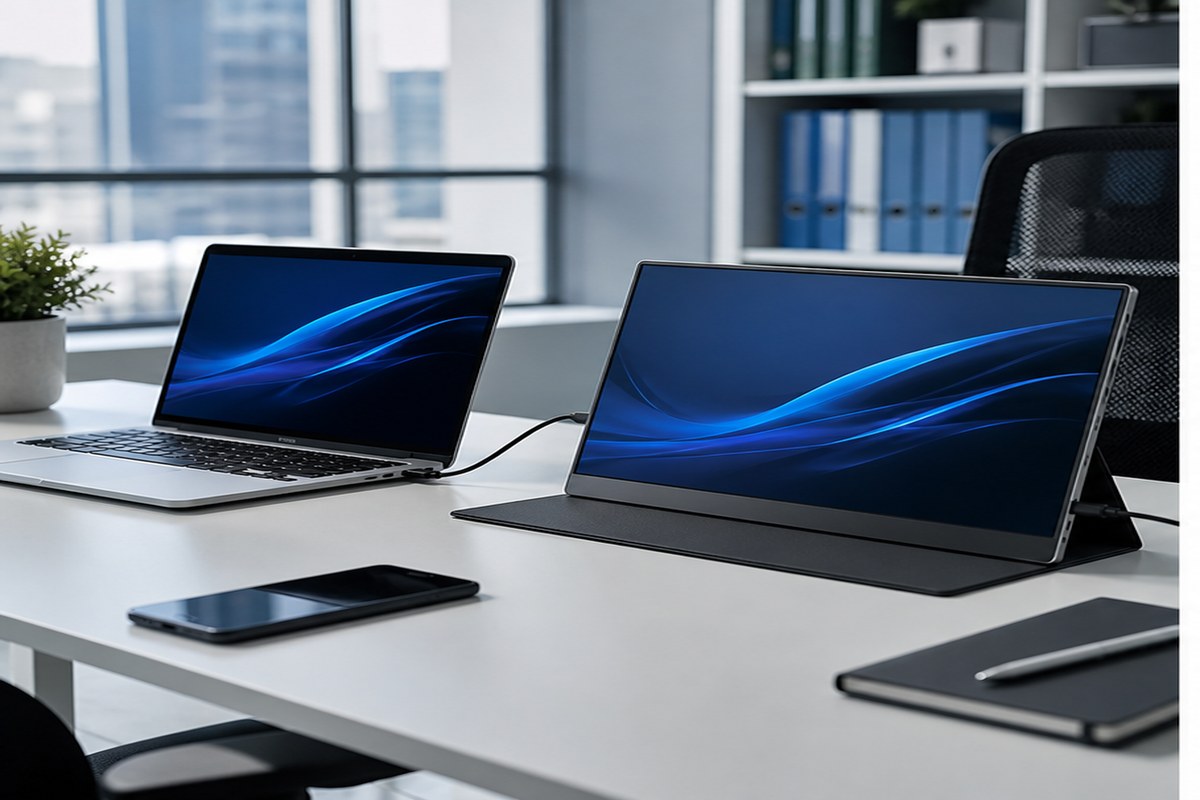
Image 1 purpose: Application photo.
Insert position: After "Introduction".
Caption: "Application testing helps confirm portable monitor compatibility with laptops and work setups."
ALT text: "Portable monitor used as laptop second screen for B2B buyers"
AI image prompt: "Realistic photo of one portable monitor beside a laptop on a modern office desk, full product visible, USB-C cable connected, clean premium business style, natural light, no CGI."
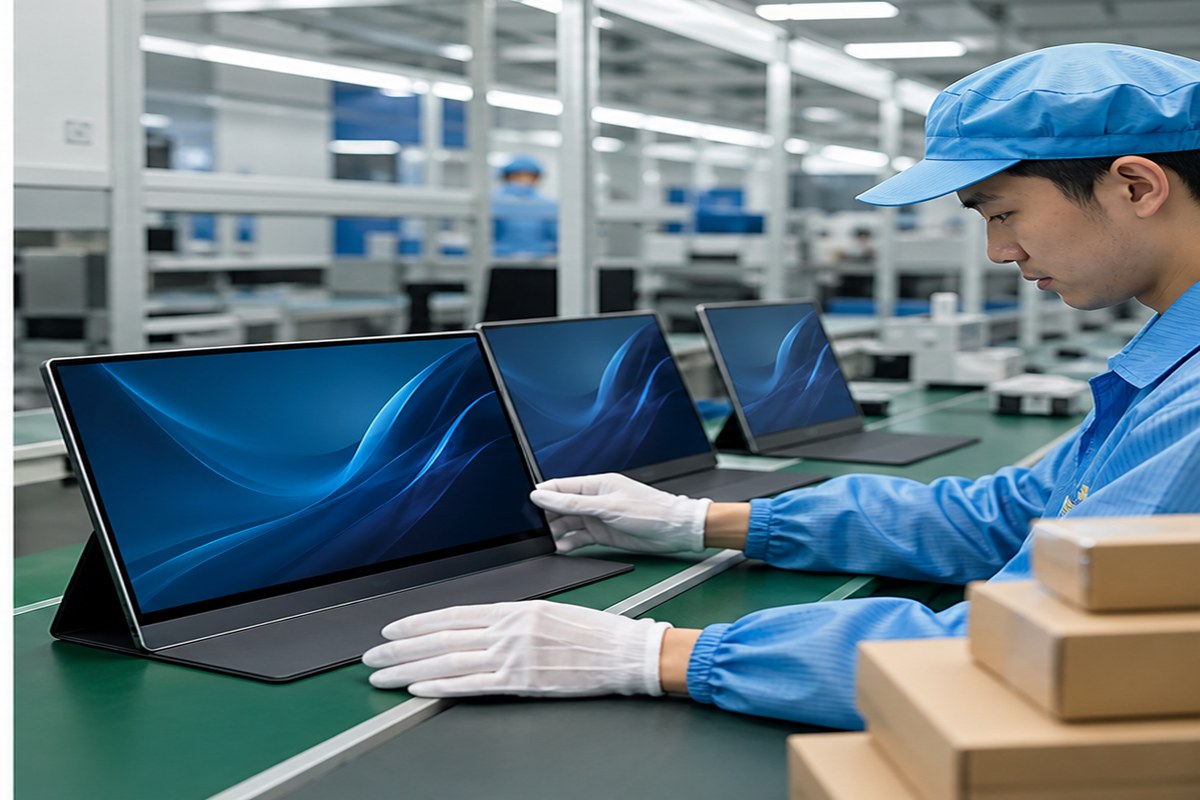
Image 2 purpose: Factory inspection photo.
Insert position: After "Factory Testing and Shipment Inspection".
Caption: "Screen inspection should verify panel quality, input function, accessories, and packaging protection."
ALT text: "Portable monitor factory inspection and packaging check"
AI image prompt: "Realistic electronics factory scene, Asian quality control worker inspecting portable monitors on a clean workbench, screens on, packaging boxes nearby, authentic B2B manufacturing photography."
CTA and Inquiry Popup Plan
Mid-article CTA position: After "Factory Testing and Shipment Inspection".
CTA text: Send Your Requirements
CTA copy: "Share your target screen size, panel specification, cable bundle, packaging style, and order quantity. ByteAero can recommend portable monitor options."
End CTA position: After "Conclusion".
CTA text: Get a Quote
Popup trigger suggestion: 40% scroll, 30 seconds, and exit intent.
Popup title: "Source Portable Monitors Wholesale"
Popup copy: "Tell us your screen size, port requirements, packaging needs, and target market. We will prepare suitable model suggestions."
Suggested form fields: Name, Email, Phone, Company, Country/Region, Screen Size, Port Requirement, Order Quantity, Message.
Submit button text: Send Requirements
Conclusion
Portable monitor sourcing should focus on panel quality, USB-C video compatibility, stand usability, accessories, packaging protection, and shipment inspection. Buyers who test real samples and define packaging language clearly can reduce returns and build stronger retail listings.
ByteAero supports B2B buyers sourcing portable monitors, USB-C hubs, charging accessories, audio products, and mobile electronics. Contact us with your product application and target market to receive quotation support.