
Quick Article Directory
Smart Security Camera Wholesale Guide for Retail and Project Buyers
Topic Research and Search Intent
Blog title: Smart Security Camera Wholesale Guide for Retail and Project Buyers
Target keyword: smart security camera wholesale
Search intent: Importers, online retailers, installers, and smart-home distributors want to select indoor or outdoor cameras with dependable app onboarding, sensible specifications, suitable packaging, and a repeatable inspection plan.
Why this topic fits a B2B export website: Cameras are a considered purchase. The same buyer often needs cameras, hubs, smart lighting, and accessories, so a useful technical guide can earn a qualified multi-product inquiry rather than a low-intent visit.
Introduction
Smart security cameras are sold into home security, small-office, rental-property, retail-counter, and family-care applications. A good wholesale program is not built around the highest printed resolution alone. The product has to connect predictably, show useful images in day and low light, record according to the stated storage options, and provide setup instructions that a first-time customer can follow.
For B2B buyers, app experience is part of the product. A camera with a clean housing but confusing account registration or unstable pairing can create support costs long after the shipment has arrived. This guide helps buyers specify the product application, assess hardware and software claims, organize factory testing and shipment inspection, and prepare a useful RFQ. For a broader connected-device range, see ByteAero's smart home device wholesale guide and smart video doorbell wholesale guide.
Start With the Installation Environment
Indoor cameras are normally chosen for entryways, baby rooms, pet monitoring, small shops, and office areas. Buyers should decide whether a pan-and-tilt function, two-way audio, privacy shutter, tabletop stand, or wall mount matters for their channel. Outdoor models need an appropriate enclosure, cable routing plan, mounting hardware, and instructions that explain where Wi-Fi signal and power should be checked before installation preparation.
The route to market changes the specification. Marketplace customers expect simple app onboarding and clear storage information. An installer may value a stable mounting bracket and a predictable reset process. Retail buyers may need shelf-ready packaging that differentiates an indoor camera from an outdoor model without making unsupported security claims.
Specifications That Matter in Real Use
Connectivity and App Onboarding
Confirm the supported Wi-Fi band, setup method, reset sequence, account requirement, shared-user behavior, and supported phone operating systems. A camera should be tested with the app version intended for the shipment, not only a development build. Ask what happens after a router password changes, after power is restored, or when the camera is moved to a new location.
Image, Night Vision, and Audio
Resolution is only one part of useful image quality. Test focus, dynamic range near windows, frame stability, color in normal light, and infrared behavior in darkness. For two-way audio, check microphone pickup, speaker volume, delay, and echo at realistic room distance. Do not market a camera as a professional surveillance system unless its specification and intended use support that statement.
Storage, Notifications, and Privacy
Clarify whether the model uses a microSD card, cloud service, local hub, or more than one option. Record the card capacity range that was actually tested. Notification settings should be checked with the supplied app, including motion sensitivity and whether alerts arrive reliably. Buyers should also review user-facing privacy notices and destination-market obligations before mass production.
The Connectivity Standards Alliance explains that Matter is an IP-based interoperability standard designed to improve secure, reliable smart-home connections. A buyer should still confirm exactly which ecosystems, device categories, and features the chosen camera supports; a protocol name is not a substitute for a compatibility test.
Factory Testing and Shipment Inspection
Factory testing should include power-on, reset, Wi-Fi pairing, live view, recording, night vision, motion alert, microphone, speaker, charging or power adapter, and physical adjustment where applicable. Inspect the lens cover, housing seams, mount thread, labels, barcode, manual, accessories, and retail carton. Use real phones and a controlled router during sample approval. Keep the approved app version, test account process, and golden sample with the project record.
For shipment inspection, take random finished units through the complete out-of-box customer journey. Confirm that the QR code, manual language, power plug, adapter rating, screws, mounting plate, and carton marks match the approved version. A passing factory test is valuable, but an incomplete accessory pack can still create immediate returns.
Supplier Questions and RFQ Example
Ask how the supplier controls firmware versions, whether the app platform is owned or licensed, how long model support is planned, which markets the adapter is prepared for, and how components are controlled across repeat orders. Ask for a sample before approving claims about resolution, weather exposure, storage, or smart-home compatibility.
RFQ example: "We need indoor Wi-Fi smart security cameras for retail distribution. Please quote 2K and Full HD options with pan-and-tilt, two-way audio, night vision, microSD recording, English retail packaging, US/EU plug options, and private-label logo. Confirm Wi-Fi band, app onboarding process, tested card capacity, sample lead time, production lead time, and shipment inspection process."
FAQ
What should a buyer test first on a smart camera?
Test the complete setup process, live view, night vision, notifications, recording, reset behavior, audio, and mounting accessories. This reveals more than reading a specification sheet.
Is higher resolution always better for wholesale?
No. Higher resolution can affect storage, network use, price, and the required customer support. Choose a level that fits the target application and test the image in the conditions customers will use.
Can one camera claim compatibility with every smart-home platform?
Avoid broad claims. Compatibility should be confirmed for the exact app, platform, region, firmware, and functions that will be sold.
Image Planning and AI Generation Prompts
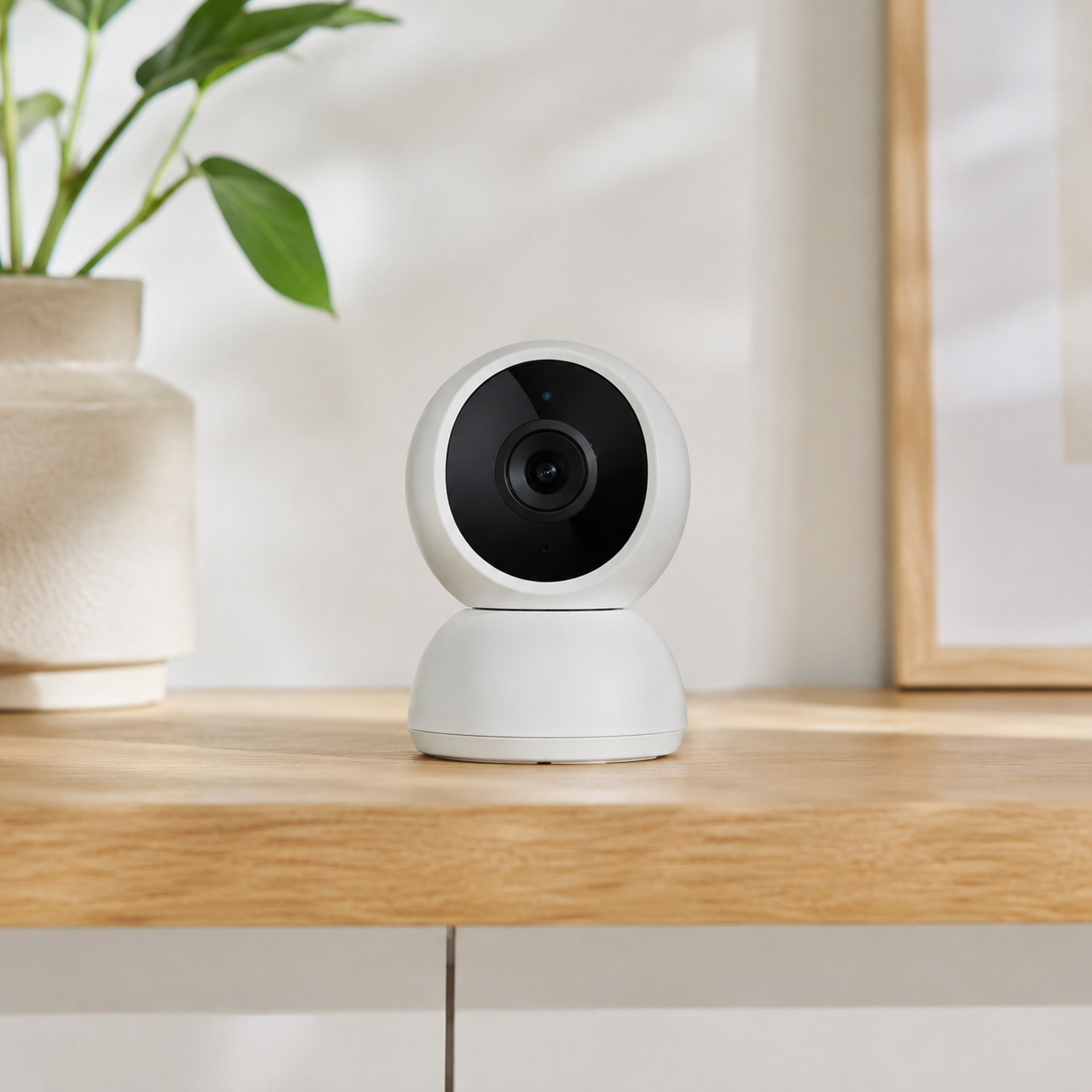
Image 1 purpose: Main product and application visual.
Insert position: After "Introduction".
Caption: "An indoor smart camera should be evaluated through real app setup and day-to-night image testing."
ALT text: "Smart indoor security camera in a modern home for wholesale sourcing"
AI image prompt: "Authentic commercial product photograph of one compact white smart indoor security camera on a shelf in a bright modern living room, full product visible, natural daylight, no text, no logo, realistic optics, not CGI."
Image 2 purpose: Factory quality-control visual.
Insert position: After "Factory Testing and Shipment Inspection".
Caption: "Quality control verifies onboarding, recording, night vision, and included mounting accessories before shipment."
ALT text: "Asian technician testing smart security cameras at an electronics quality control bench"
AI image prompt: "Documentary-style realistic electronics factory photograph, Asian technician at a clean QC bench testing a compact Wi-Fi security camera with a smartphone and monitor, product and test equipment visible, natural industrial lighting, no text."
CTA and Inquiry Popup Plan
Mid-article CTA position: After "Factory Testing and Shipment Inspection".
CTA text: Send Your Requirements
End CTA position: After "Conclusion".
CTA text: Get a Quote
Popup trigger suggestion: 40% scroll, 30 seconds on page, or exit intent.
Popup title: "Source Smart Cameras With Clear Requirements"
Popup copy: "Tell us your target installation, resolution, app requirements, packaging, and estimated quantity."
Suggested form fields: Name, Email, Phone, Company, Country/Region, Camera Type, Quantity, Message.
Submit button text: Send Requirements
Conclusion
Smart security camera sourcing works best when the buyer treats setup, app behavior, storage, image quality, packaging, and after-sales information as one product experience. Approve a real sample, document the complete test flow, and compare finished goods with a golden sample before shipment. ByteAero can help buyers plan a smart-home range that includes cameras, doorbells, hubs, and lighting. Send an inquiry with your market and project requirements.